<img height="1" width="1" style="display:none;" alt="" src="https://px.ads.linkedin.com/collect/?pid=7937762&amp;fmt=gif">
Skip to content

Features > Video banking

Face to face. Wherever life happens.

Bring face-to-face guidance into live chat or authenticated messaging. Account holders accept the invitation and join right in the conversation, with nothing to install.

vb_01_image_header

Video banking at a glance

A more personal way to help

03_card_1_icon_40x40px

Video within the conversation

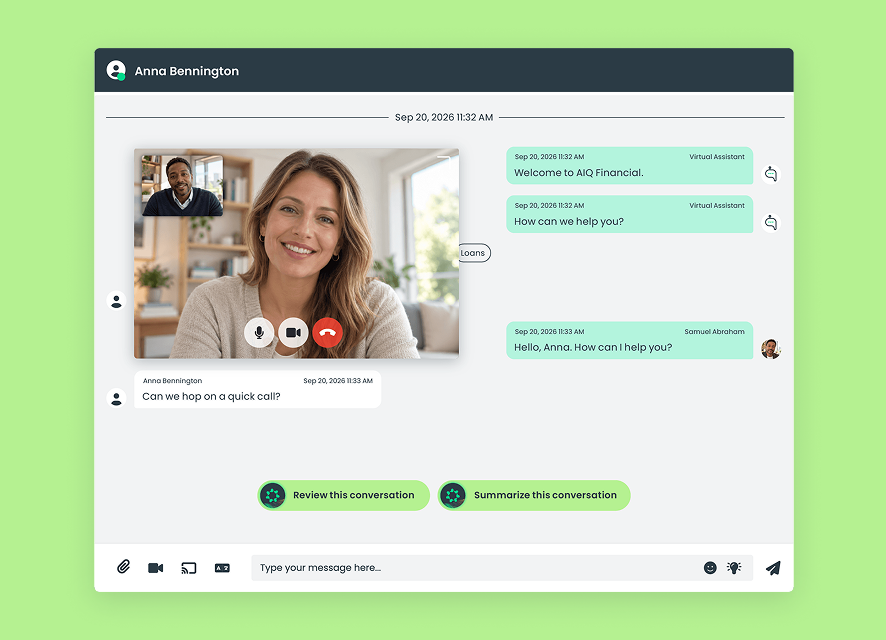
Add face-to-face support to live chat or authenticated messaging.
03_card_2_icon_40x40px

One-click joining

Account holders accept the invitation and connect. Nothing to install.
03_card_3_icon_40x40px

Keep messaging available

Send messages while the video conversation continues.
03_card_4_icon_40x40px

Add on-screen guidance

Pair video with consent-based co-browsing when enabled.
03_card_5_icon_40x40px

Video transcripts

Automatically generate a transcript after the call ends.
03_card_6_icon_40x40px

Session reporting

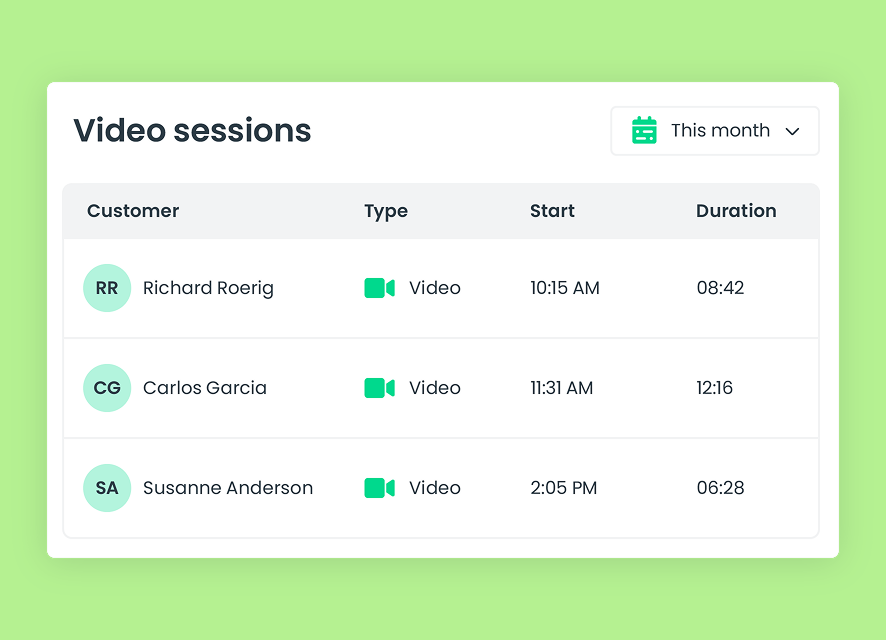
Review video activity, session timing, and duration.

How video banking works

Put a face to the conversation

Bring in video when a question benefits from a more personal discussion.
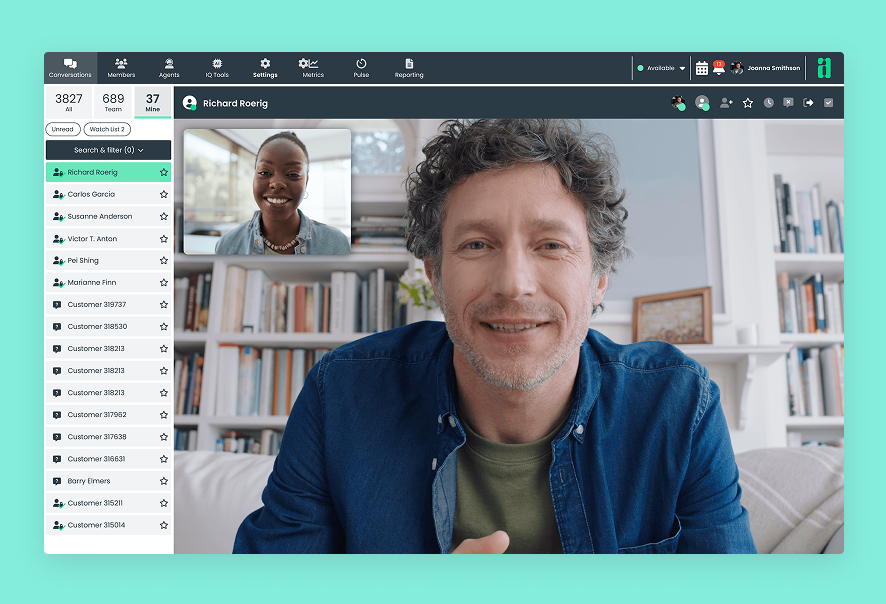
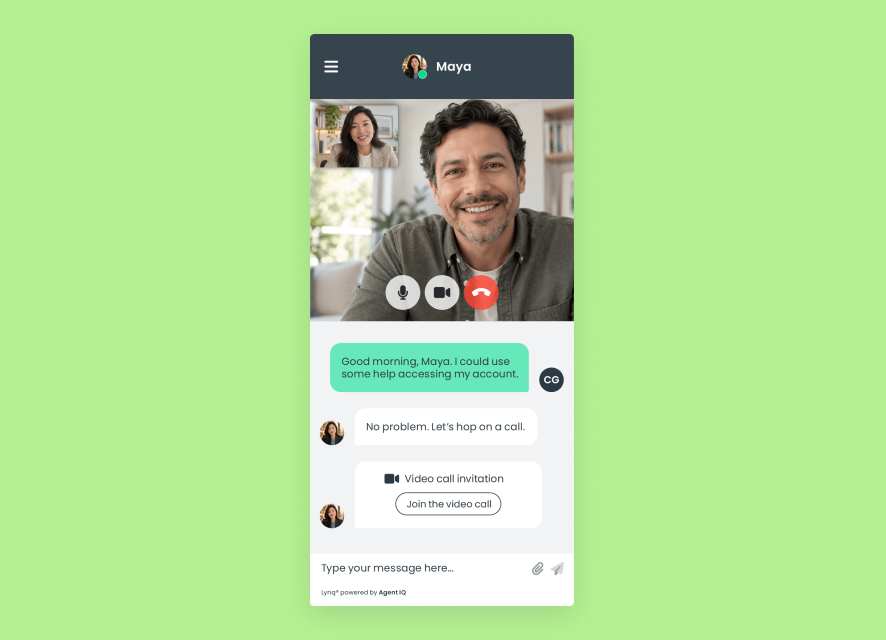
  1. An employee invites the account holder to video from live chat or authenticated messaging
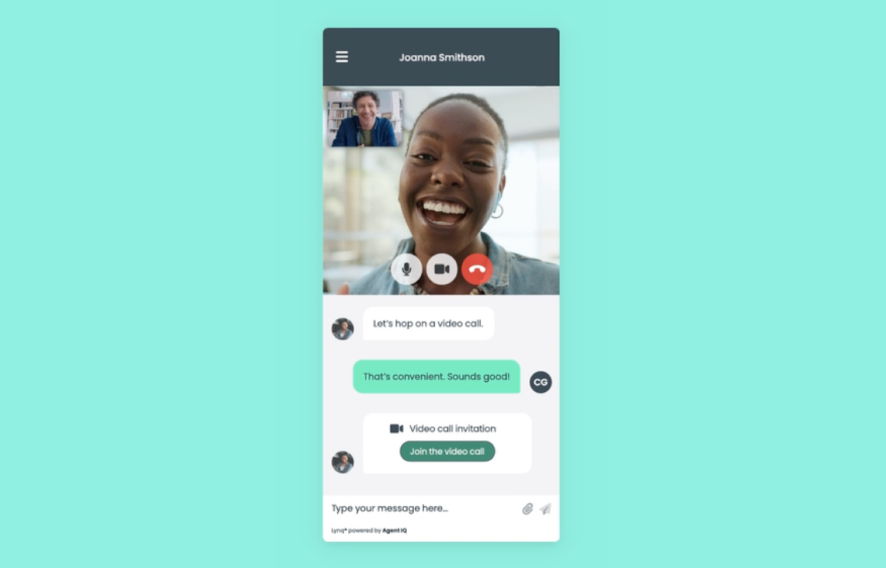
  2. The account holder accepts with one click, without leaving the chat experience
  3. The conversation continues face to face, with messaging still available
  4. After the call, the employee is notified when the transcript is ready
vb_03_image_ui

Designed for better service

Personal attention. Practical support.

Bring a human connection to digital service, with useful tools for your team.

For account holders

Talk it through with a person

Ask questions, explore options, and get personal guidance without meeting at a branch.
vb_04a_image_left

For employees

Bring more clarity to the conversation

Use face-to-face discussion and in-session messaging to explain details. Configure virtual backgrounds for a consistent presentation.
vb_04b_image_right

For managers

See how video supports your service

Review session activity and duration to understand how your team uses video banking.
vb_04c_image_left

Connected support

Add the support the moment needs

06_card_1_icon_40x40px

Co-browsing

Guide account holders on screen during a consent-based session, alongside the video conversation.
06_card_2_icon_40x40px

Authenticated messaging

Pair face-to-face support with signed-in messaging for account-specific needs and an ongoing relationship.
06_card_3_icon_40x40px

Conversation intelligence

Include the completed video transcript when generating a conversation summary and in the broader Conversation Transcript.

Built for financial institutions

Trust is part of the experience

07_card_1_icon_40x40px

Permission-controlled access

Control which employees can initiate video through configured permissions.
07_card_2_icon_40x40px

Consent-based co-browsing

Request the account holder’s permission before beginning on-screen guidance.
07_card_3_icon_40x40px

SOC 2 Type II controls

Support digital service within Agent IQ’s SOC 2 Type II control environment.

Connected capabilities

Frequently asked questions

How does a video banking session start?
An employee initiates video from a Lynq® conversation in public live chat or authenticated messaging, when enabled for their role. The account holder accepts the invitation to join.
Do account holders need to install an app?

No. Account holders accept the employee’s invitation with one click and join directly within the chat experience, whether they are using public live chat or authenticated messaging.

Can messaging and co-browsing continue during video?
Yes. Employees can send messages during the video session. When enabled, they can also request consent-based co-browsing to provide on-screen guidance alongside video.
What happens after the video call ends?
A transcript is generated automatically, and the employee is notified when it is ready. Once available, it is included when the employee generates a conversation summary and in the broader Conversation Transcript.